![CDPLogo2023_250x165.png]](https://kb.securecdp.com/hs-fs/hubfs/CDPLogo2023_250x165.png?height=40&name=CDPLogo2023_250x165.png)
How to Upload a Logo unto a Thermal Printer
- Remote into clients PC
- First, transfer over the utility tool that will allow you to upload the logo onto the designated printer
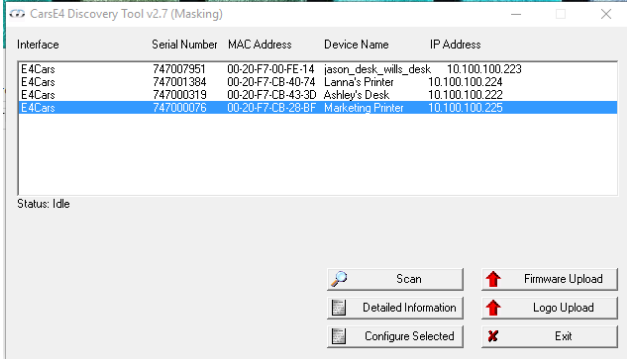
- CDP Thermal (T:)-Software and Scan Utilites-Ethernet Scan Ultilites-.Zip file (either masked or unmasked, whichever the CU uses)-MultiConfig_v2

- Click Scan
- Next, you will need to transfer over the logo
- Go to the Customer Info (O:) and find the CU you are looking for
- Click Thermal-And chose the most recent .tlg file they have (if only one, chose that one)
- Once transferred over, click Logo Upload on the Multi Config tool
- Click the box with (...) in it, navigate to Customer Drive (O:)-Chose the CU-Thermal-Chose the .tlg file
- Let Multi Config tool update, and then ask the CU to print a receipt